
Some of the best beginner video editing software are Movavi, Filmora, AVS4YOU, and Video Studio. Getting started with video editing can feel overwhelming, especially when you see YouTubers talking about it. You don’t have to start with advanced software because you won’t be using most of the tools in it.
Whether you are creating social media content or simple personal projects, having the right software can make a huge difference. A good video editor should have an easy-to-understand user interface and affordable pricing. In this blog, we will break down the best video editing software for beginners.
Movavi
Best For: Beginners Who Want to Edit Videos Quickly
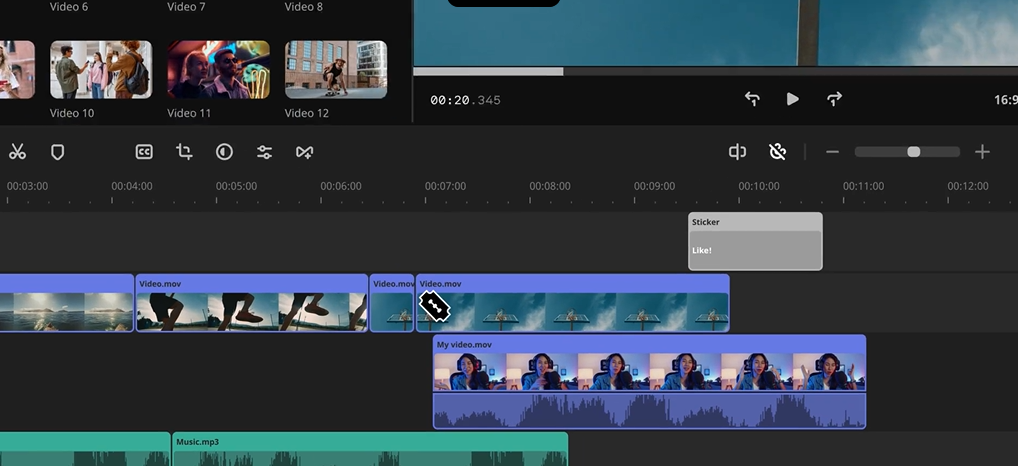
Movavi video editor is one of the best tools to start with if you have never edited a video. The biggest advantage here is its clean and beginner-friendly interface. You can easily add transitions, filters, and music by dragging them onto your clips.
3:2:1 Rule in Video Editing: This rule means that you must have 3 copies of your video files, of which 2 should be stored as backup. This helps prevent data loss during the editing process.
Key Highlights:
- It is best to watch YouTube tutorials on this tool to speed up your learning process.
- Includes ready-made effects and templates.
- The drag-and-drop system is suited for beginners.
- You don’t need video editing experience to use this tool.
Pricing:
- Video Editor: ₹2,699
- Video Editor Plus: ₹3,199
- Video Suite: ₹3,590
Wondershare Filmora
Best For: Users Wanting More Creative Control & AI Features
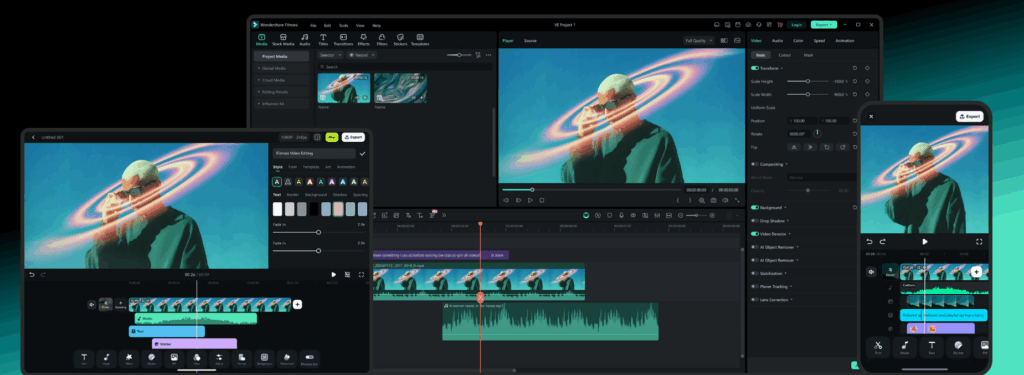
Filmora is one of the most popular video editing tools among all these. Their generative AI features help you generate video ideas instantly. All you have to do is provide a text prompt explaining what you want. Apart from AI tools, it also offers traditional editing tools essential for your creative journey. You can check available deals for discounted prices.
Key Highlights:
- Offers Filmora AI as part of the video editing software.
- AI tools like AI Music & AI Video Enhancer are available in the Advanced plan.
- Offers 2.9M+ Filmora creative assets to assist video editing.
- Provides ready-to-use templates that save time.
Pricing:
- Basic plan: $9.99/year
- Advanced plan: $34.99/year
- Perpetual plan: $49.99/year(A One-Time Payment)
Corel VideoStudio
Best For: Beginners Who Want A Simple Editor With Guided Workflows
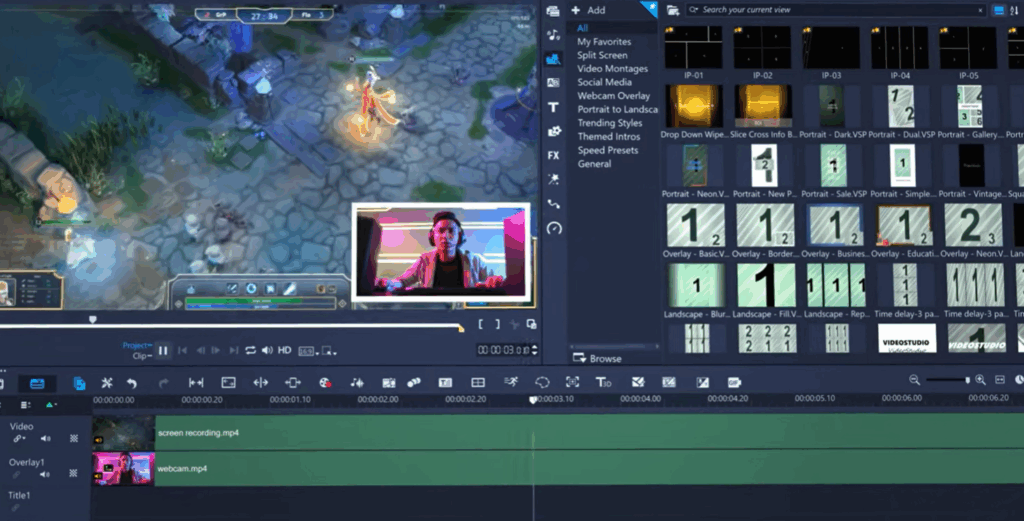
Despite making editing simple, it offers room to grow for advanced video editing. Beginners can start with a simple layout and move toward detailed editing after enough practice. VideoStudio provides you with an essential editing toolkit which include basic trimming tools like Slide and Slip.
Key Highlights:
- Offers both storyboard and timeline editing options.
- Multitrack timeline editing for creative control.
- 360° and multi-camera editing support.
- You can touch up faces with face effects.
Pricing:
- VideoStudio Pro: ₹6,470 (One-Time Purchase)
- VideoStudio Ultimate: ₹8,100 (One-Time Purchase)
LUXEA by ACDSee
Best For: Editing Short Form Social Media
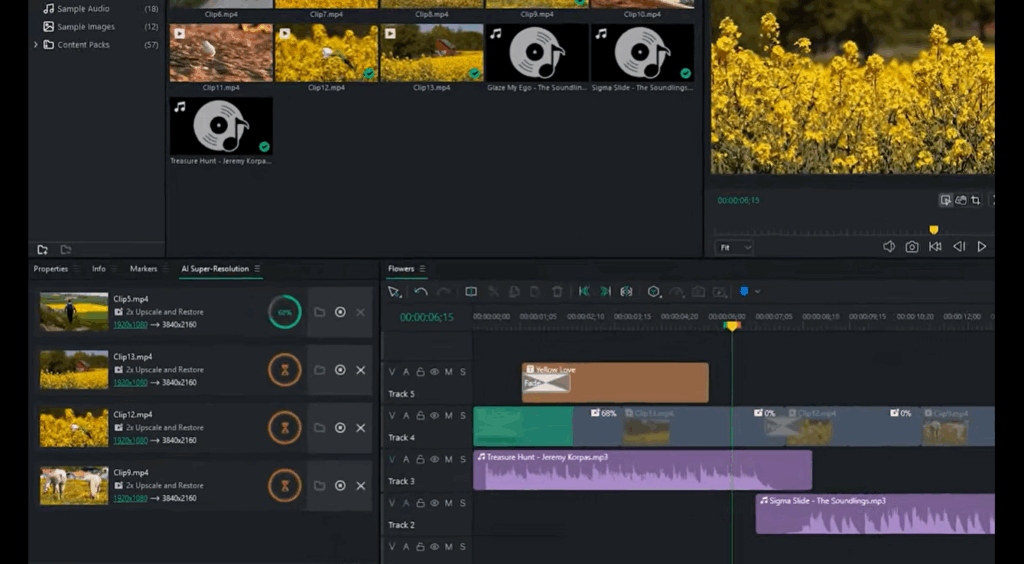
The LUXEA Pro Video Editor 8 is a great choice if you want a tool without a steep learning curve. You can select multiple texts on your timeline and modify their properties in a single edit.
The ACDSee tutorials are beneficial for all video editors, whether beginner or expert. One can also sign up for ACDSee workshops for live interaction sessions every month.
Key Highlights:
- Upscale videos to 4K using AI Super-Resolution.
- Easily separate using clips using Quick Split Mode.
- Add animations to your text under text properties.
- Offers audio tools like normalization and an equalizer.
Pricing:
- Individual Plan: $49.99/year
- Lifetime License: $29.95 (Forever Access)
- 365 Home Plan: $89/year
AVS4YOU
Best For: Occasional Video Editors
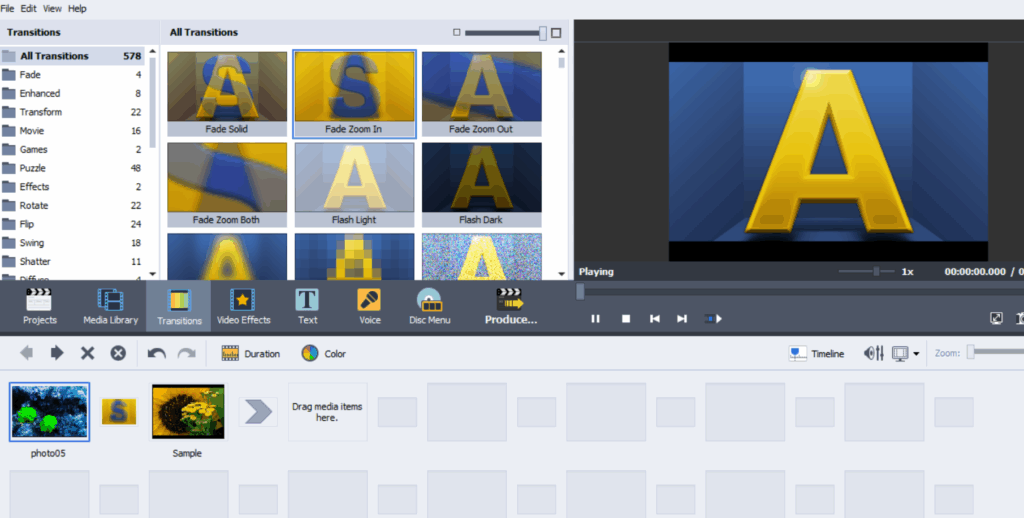
AVS4YOU is known for offering a suite of media tools, including a video editor. It is a suitable choice if you’ll be editing videos occasionally and not as a career. This video editing software focuses on doing the basics really well with an intuitive user interface. As shown in the image, it makes applying transitions between 2 clips really easy.
Key Highlights:
- Ideal for users who don’t need advanced editing features.
- Cut, trim, split, and merge videos easily.
- Get 5 multi-media programs in one package, including a video editor.
- Offers a 30-day money-back guarantee.
Pricing:
- 1 Year Subscription: $49
- Unlimited Subscription: $79 (Lifetime access)
Pictory
Best For: Users Who Want Video Content Without Manual Editing
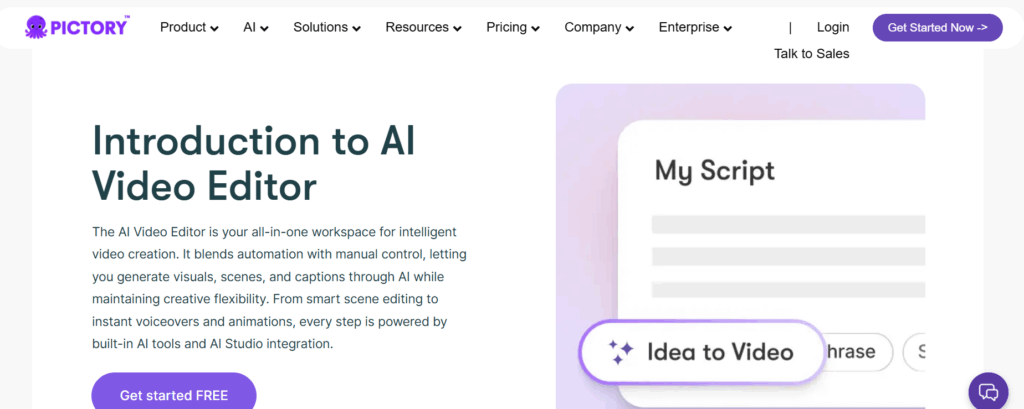
Pictory prioritizes AI-focused editing tools over traditional video editing. This makes it extremely beginner-friendly. You just have to place your article or a document that you want to convert into a video. Then, Pictory automatically creates scenes, adds subtitles, and background music. It is suited for new content creators and markets that need quick output.
Key Highlights:
- Provides ready-to-use voices from Elevenlabs.
- Offers text-to-video AI feature for fast content generation.
- Built for people who don’t want to edit videos manually at all.
Pricing:
- Starter plan: $25/month
- Professional plan: $35/month
- Team plan: $119/month
- Enterprise plan: Custom pricing
VSDC
Best For: Users With Low-End PCs
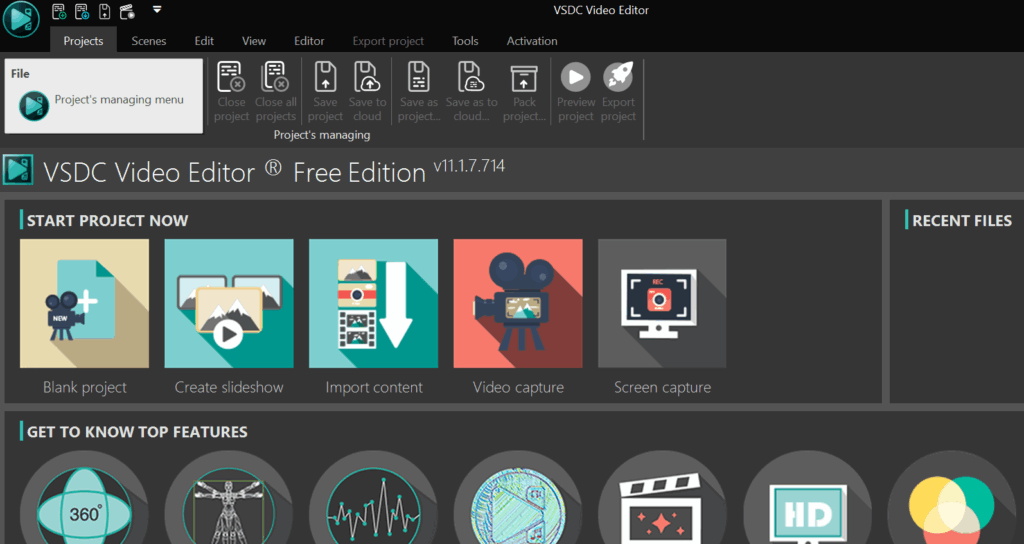
VSDC Video Editor is a powerful tool for users with low-end devices. It’s especially popular among users who want more control but don’t want to pay for premium software. The interface might look a little outdated, but you’ll enjoy editing once you get the basics.
Key Highlights:
- Screen capture makes it easy to record tutorials without showing your face.
- You can add your content to the timeline by clicking “Import content”.
- Other features include motion tracking, an AI art generator, and video effects.
Pricing: VSDC Video Editor Pro: ₹ 3,312.96 (Lifetime Access)
iMovie
Best For: Basic Tasks Like Cutting & Trimming
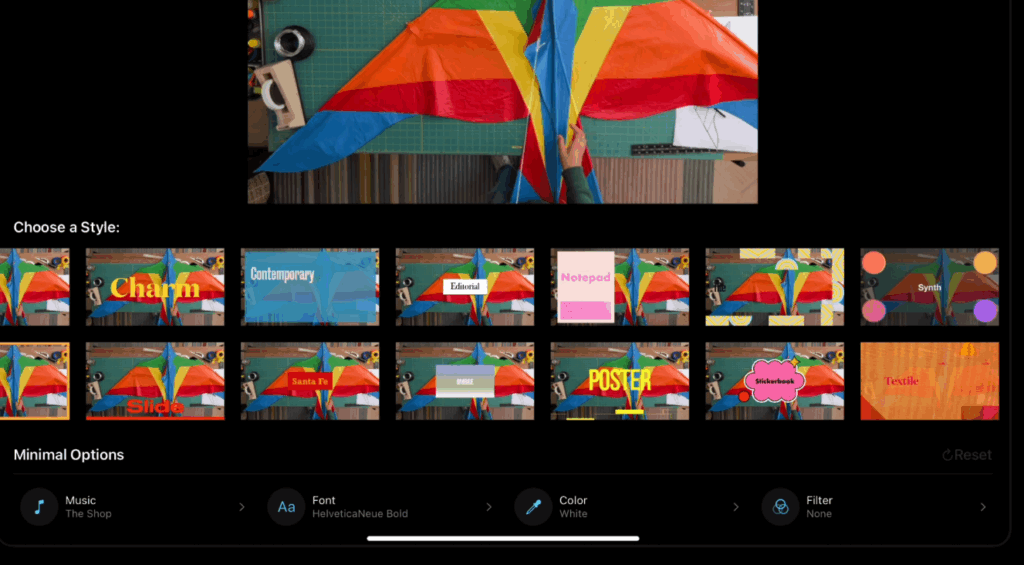
iMovie is a popular free video editor available on Apple devices. The main limitation of this tool is that you only have 2 tracks to work with. If you’re using a Mac, iPhone, or iPad, it’s one of the easiest ways to start editing right away. Although you edit simple projects like a family video, editing creative projects can be tricky.
Key Highlights:
- Limited to 2 tracks, making it harder to add audio and video elements.
- Available for free on Apple devices.
- Best for experimenting with video editing.
Pricing: Available for Free on macOS and iOS devices
Blender Video Editor
Best For: Users Who Want to Experiment With Video Editing Without Paying Upfront.
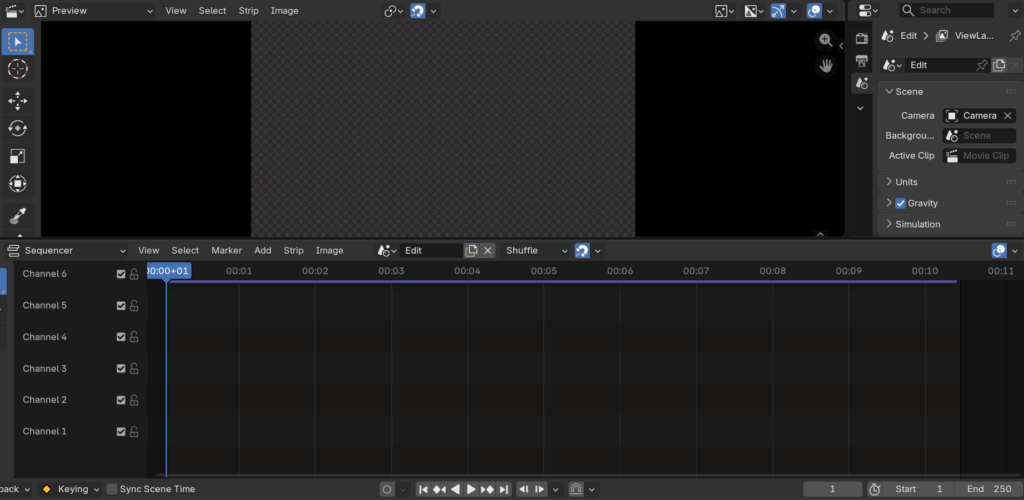
Blender is mainly known as a 3D animation tool that comes with a video editor built in. The user interface can be a little complicated compared to the tools we discussed above. I would recommend trying out this free tool for those who don’t want to invest in a video editing tool yet. It allows you to experiment with different tools and strengthen your fundamentals.
How do I access the video editor in Blender Software?
- Step 1: Open the Blender application
- Step 2: Select ‘File’ in the top left corner
- Step 3: Select ‘Video Editing’ to open the timeline
Key Highlights:
- Offers a built-in nonlinear video editor.
- Users should go for the earlier discussed tools for a better workflow
- Advanced tools like keyframing might be tricky for a beginner to understand.
- Provides 3D animation and VFX integration as its main offering.
Pricing: Free(Open source software)
Final Thoughts
It is best to upgrade to tools like Filmora for better creative control. Free tools like iMovie and Blender are very limited, especially when you work on complex projects. Most beginners get stuck on comparing tools instead of actually learning the skill. Don’t forget to look for the latest discounts on platforms like CouponzGuru.