
With AI in the picture, how companies use project management tools is changing drastically. Teams in growing companies have to deal with constant updates, repetitive workflows, and information overload.
AI Project management tools go beyond basic task tracking. They use AI to automate repetitive work and improve collaboration among teams. Choosing the right AI Project management tool today can be confusing. Therefore, we have done a detailed comparison to help you choose a tool that best suits your needs.
Monday.com
Key Highlights: Ease of Use & No-Code AI Automations
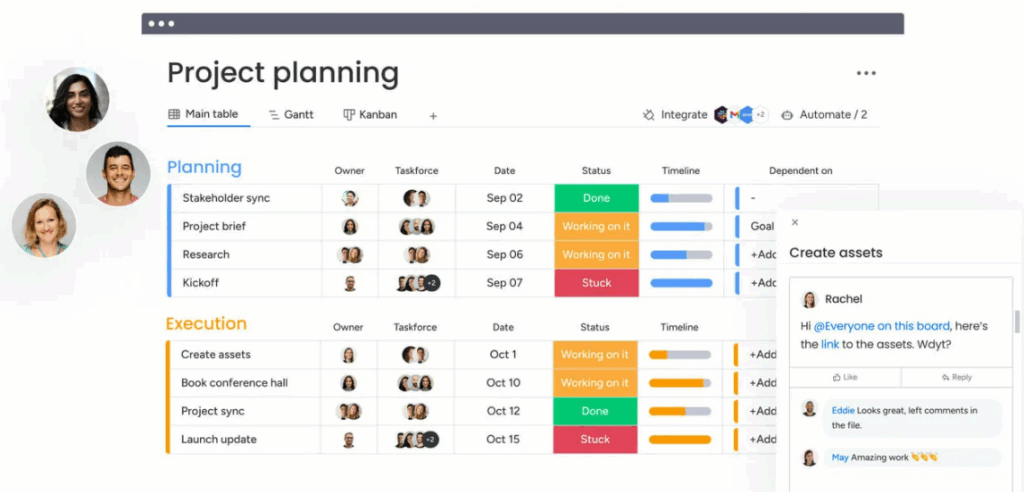
Monday.com is easy for new users to understand. This makes it the best choice for new and experienced teams that need no-code automations. It offers separate pricing for team management, CRM, development, and services features. This way, you can pay only for what you plan to use. Still unsure? You can start your free trial or check out the free plan(2 seats). Look for available deals on premium plans for more savings.
Main Features
- Custom dashboards (Kanban, Timeline, Calendar)
- Offers 24/7 Live Human Chat Support
- End-to-end Privacy: Monday.com does not use your inputs or outputs to train machine learning models.
- 200+ integrations, including Salesforce and Microsoft Teams.
- ‘Monday agents’ for automating workflows.
Pricing
- Free plan: $0/mo
- Basic plan: $9/seat/mo
- Standard plan: $12/seat/mo
- Pro plan: $19/seat/mo
- Enterprise plan: Contact Sales
Asana
Key Highlights: Native Goal Tracking Linked to Tasks & Projects
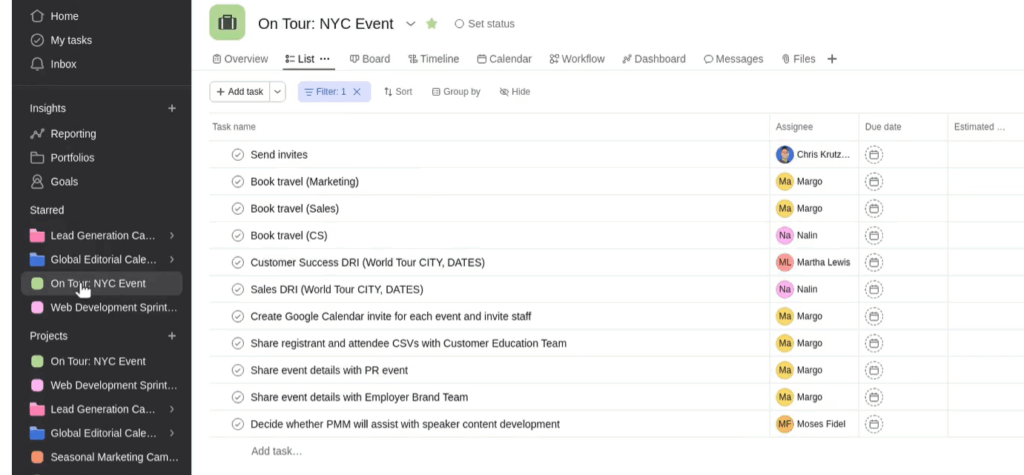
It is easy for users to create tasks, set dependencies, and manage timelines. This is why automating processes using rules can help reduce increasing workloads. Its multi-project views help teams track multiple projects simultaneously. Due to the steep learning curve, users with no prior project management experience will struggle.
Main Features
- Offers chatbots as part of the customer support.
- Workflow-Embedded AI: Uses AI Teammates to automate human-centric workflows.
- Reporting: Monitor goals, milestones, portfolios, and real-time charts.
- Crafting status updates: Easy to report statuses with relevant stakeholders.
Pricing
- Personal plan: $0(Free Forever)
- Starter plan: $10.99/user/mo
- Advanced plan: $24.99/user/mo
- Enterprise plan: Contact Sales
ClickUp
Key Highlights: Enterprise-Scale Automations & Integrations
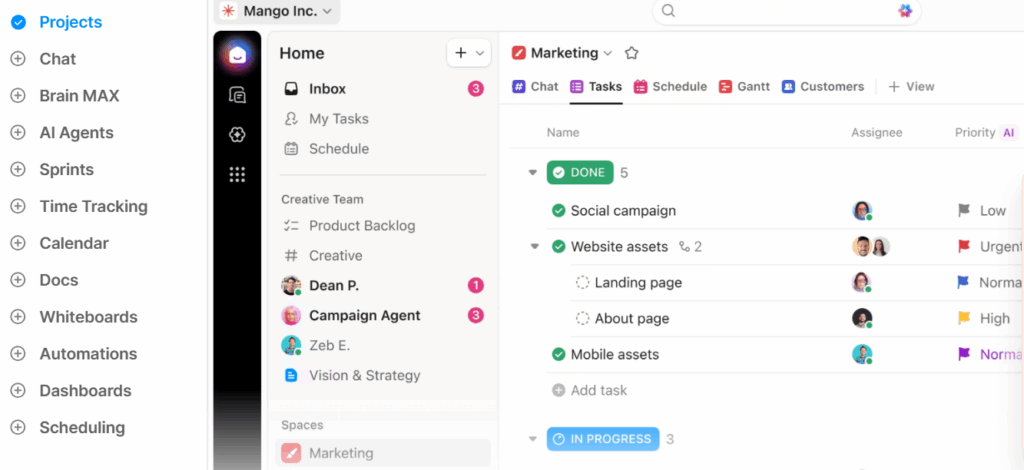
You do not get over 5k automations until you get the Enterprise plan. Organizations can store and host their data across different geographic regions (US, EU, or APAC). One can comment on tasks using the built-in screen recording. Hence, sharing a screen and recording your voice is more useful than typing a long, confusing message.
Main Features
- Portfolio Workload Management
- Collaboration Tools: Provides built-in Chat views for real-time team communication
- Data Residency features to share workspace data.
- HIPAA Compliance
Pricing
- Free plan: $0/mo
- Unlimited plan: $7/user/month
- Business plan: $12/user/month
- Enterprise plan: Contact Sales
Best Use Cases(Overall)
- Monday.com: Best for growing operations and sales-driven businesses.
- Asana: Best for companies where work depends on communication between multiple teams. Example: Design, video production houses, and other creative agencies.
- ClickUp: Best for marketing companies, technology companies, and established agencies.
Summary
- Monday.com: Suited for teams that want a customizable tool combining work management, CRM, development, and operations features.
- Asana: Enterprise teams that need complex project mapping find it useful.
- ClickUp: Suited more towards experienced teams that want to scale their operations.
Final Thoughts
It is important to consider your company’s metrics before choosing these tools. Factors like the number of teams, average team size, and business models matter. Without reflecting on this, you may end up paying for a tool that you aren’t using that much. Not training their teams properly is another mistake I keep noticing. Hence, it is important to make sure that the tools are easy to learn and understand.